
Billing Engine
I led Supermove's first end-to-end UX initiative on their most critical feature — the billing engine used by move coordinators daily. 100% of users preferred the redesign.
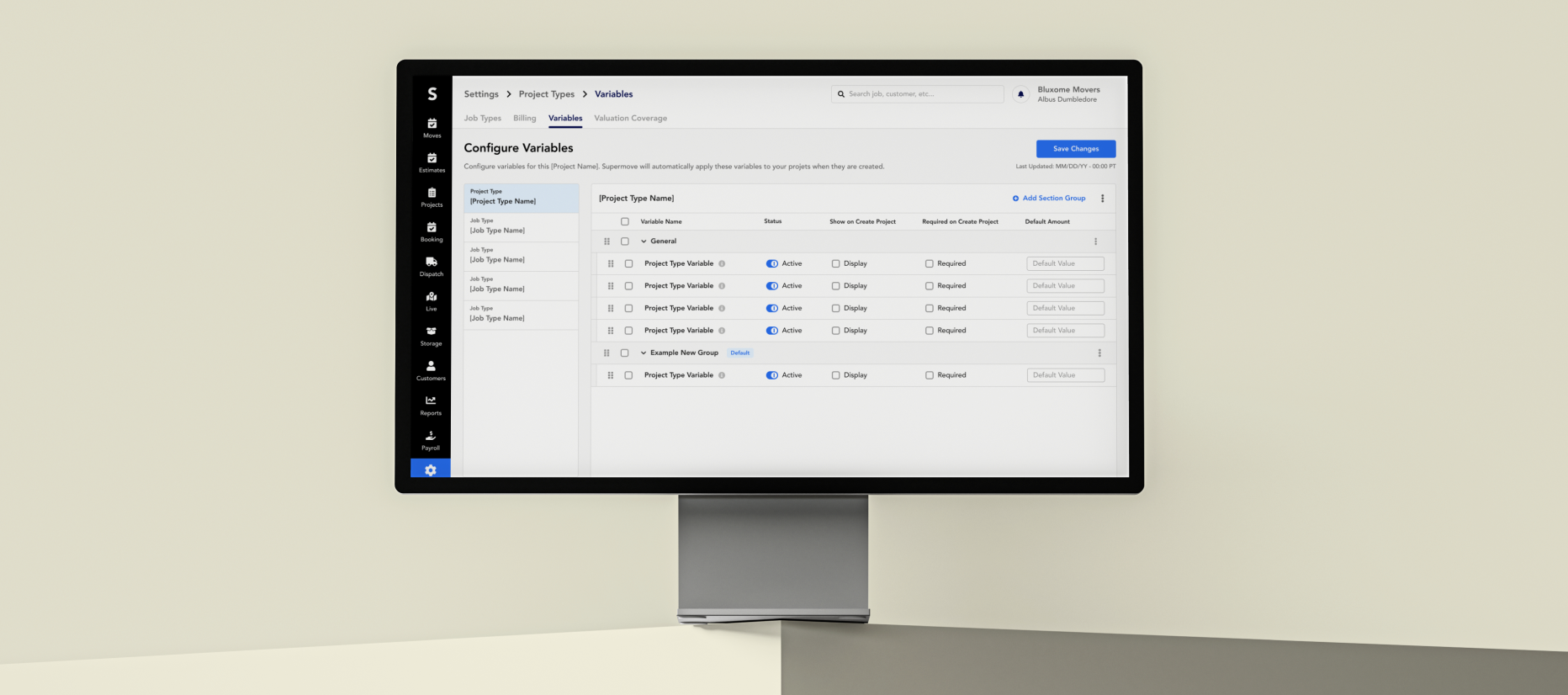
Overview
Billing is the most business-critical part of the Supermove platform — it's how moving companies get paid. The billing variables modal was broken: move coordinators couldn't find the right inputs, couldn't see the impact of their changes, and were slowing down on every job. I led the redesign in 2 months, introducing Supermove's first structured end-to-end UX process along the way.
"Build a platform that creates a seamless and delightful experience for companies from the beginning to the end of the move experience."
Problem:
The billing variables modal is currently a confusing experience because users are unable to locate the appropriate variable and have no way of seeing the impact of their changes.
Process:
We followed a standard design process to thoroughly understand the problem, create solutions, and validate our designs.
.svg)
Understand (1/6)
One of the most important steps in the design process is to understand the problem. To do so, it requires an in-depth understanding of what our clients are asking for and how our company goals align.
Uncovering the why
- Billing is a critical and commonly used area for clients
- Making this modal more usable unlocks other areas of improvement within billing
- Users consistently find this experience confusing and slows down their process
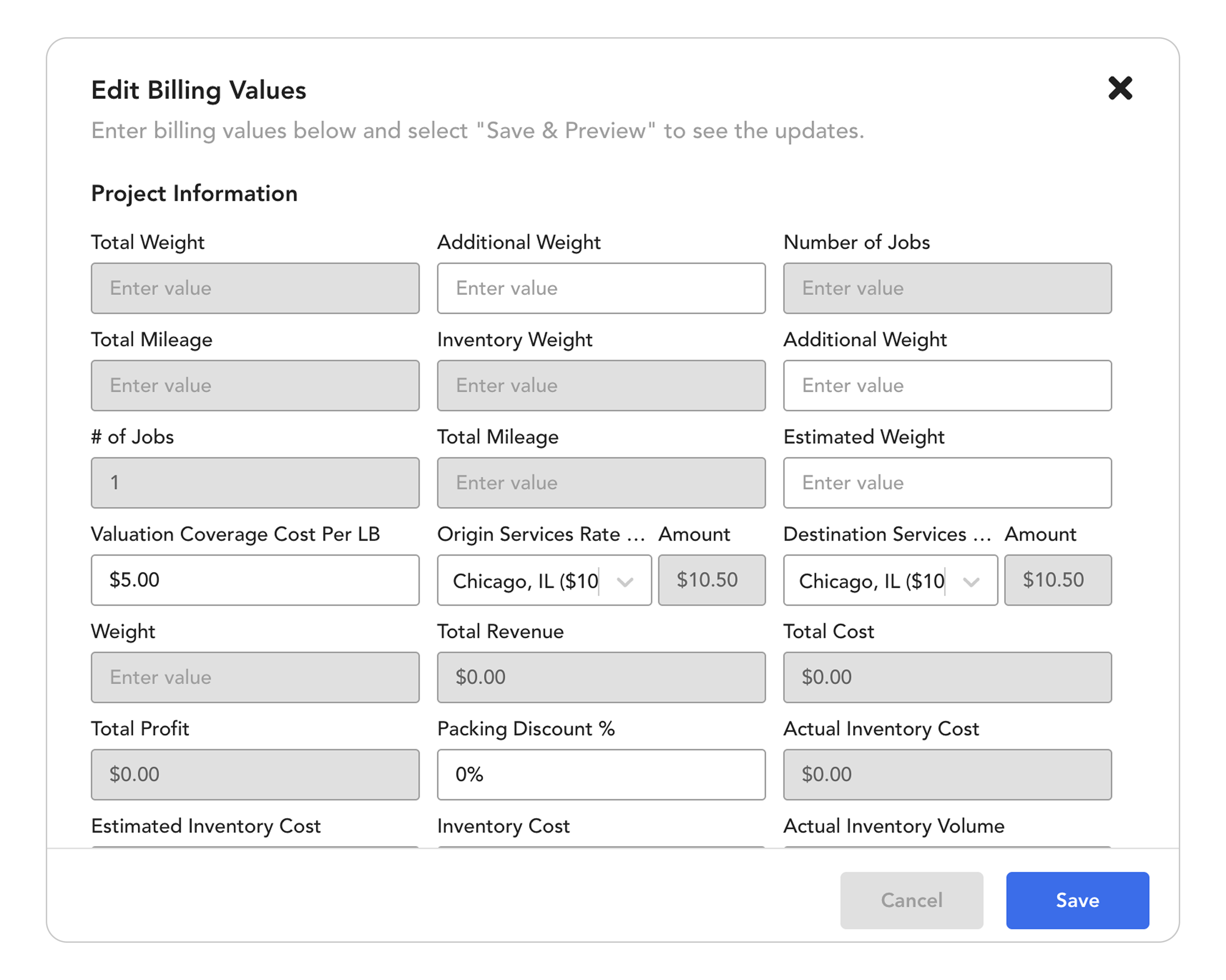
Customer Pain Points
After reviewing client feedback and the customer success team comments, it was clear that the billing variables modal was a major problem area and needed some change in both the design elements and the experience.
“The billing values page is overwhelming and I’m not sure what changes are occurring when I enter the data.”
Goals
- Simplify: Reduce the amount of displayed input fields to a limited number based on the client’s needs
- Speed: Improve input field detection by decluttering the screen and organizing the information in a digestible way
- Response: Allow a preview function to immediately see the effect of changing values on the actual bills
Research (2/6)
At this step of the process, we need to define who our users are and develop a concrete understanding of the current product processes. To support that endeavor, the product team went on a 3 day on-site client visit to learn firsthand from our users and gather direct feedback.
Move Process
At a high level review, the move process includes many distinct users at different points in time, including pre-move, move-day, and post-move timepoints. Billing is predominantly involved in the pre-move and post-move phases.
.svg)
Move Coordinator
Typically handles the intake process and is the primary point of contact for the customer. The coordinator is the primary user utilizing the modal and inputting values to coordinate the move.
“I need to jump around multiple different software and system. By the time I learn one thing, I have to learn another.”
Focus Areas
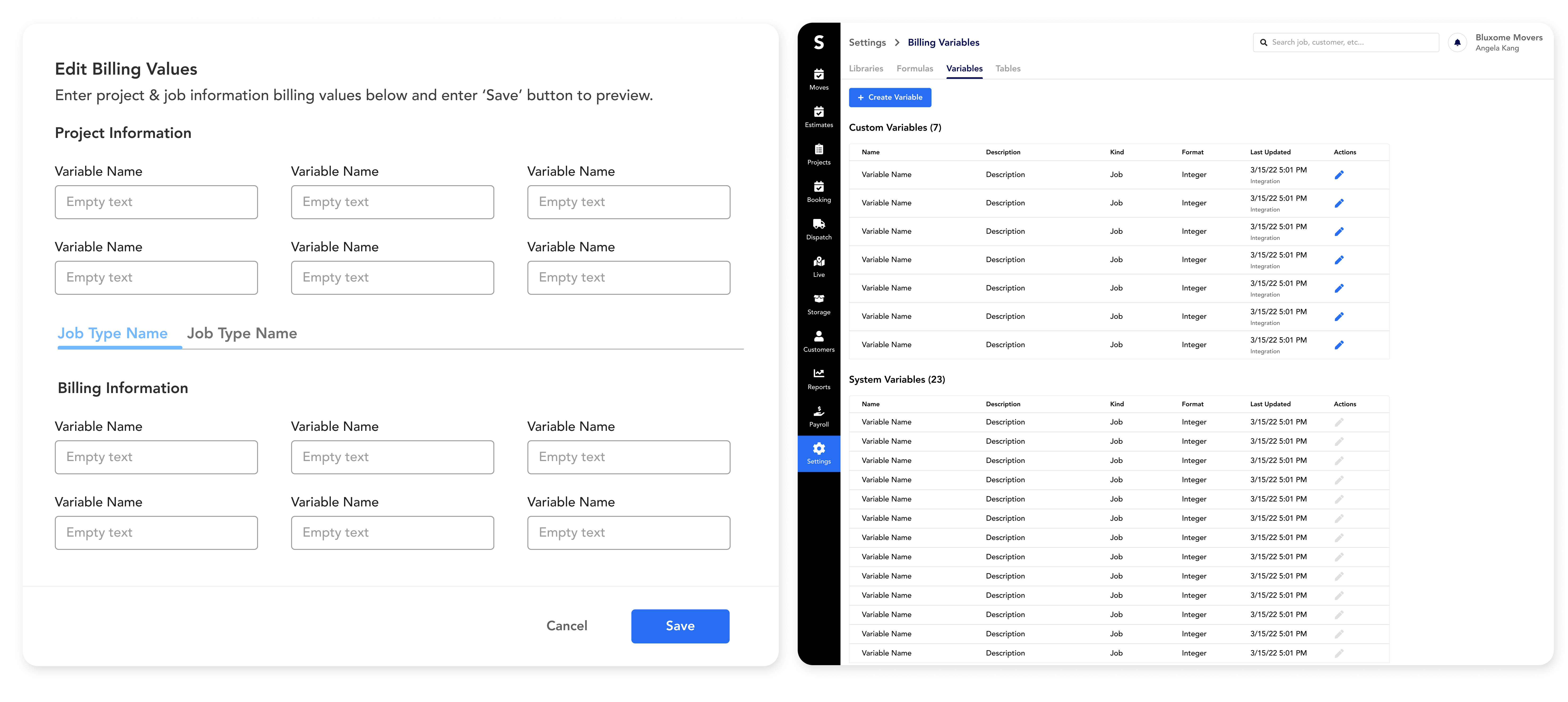
Both the "billing values modal" view and "variables editor" were the main target areas for redesign. (Current State - before redesign)
Sitemap
The Supermove platform uses many tabs and sub-categories to organize the large amount of data but this leads to a web of different workflows. Sitemapping is critical to help understand and capture all the entry and exit points.
%25201.svg)
Key Finding:
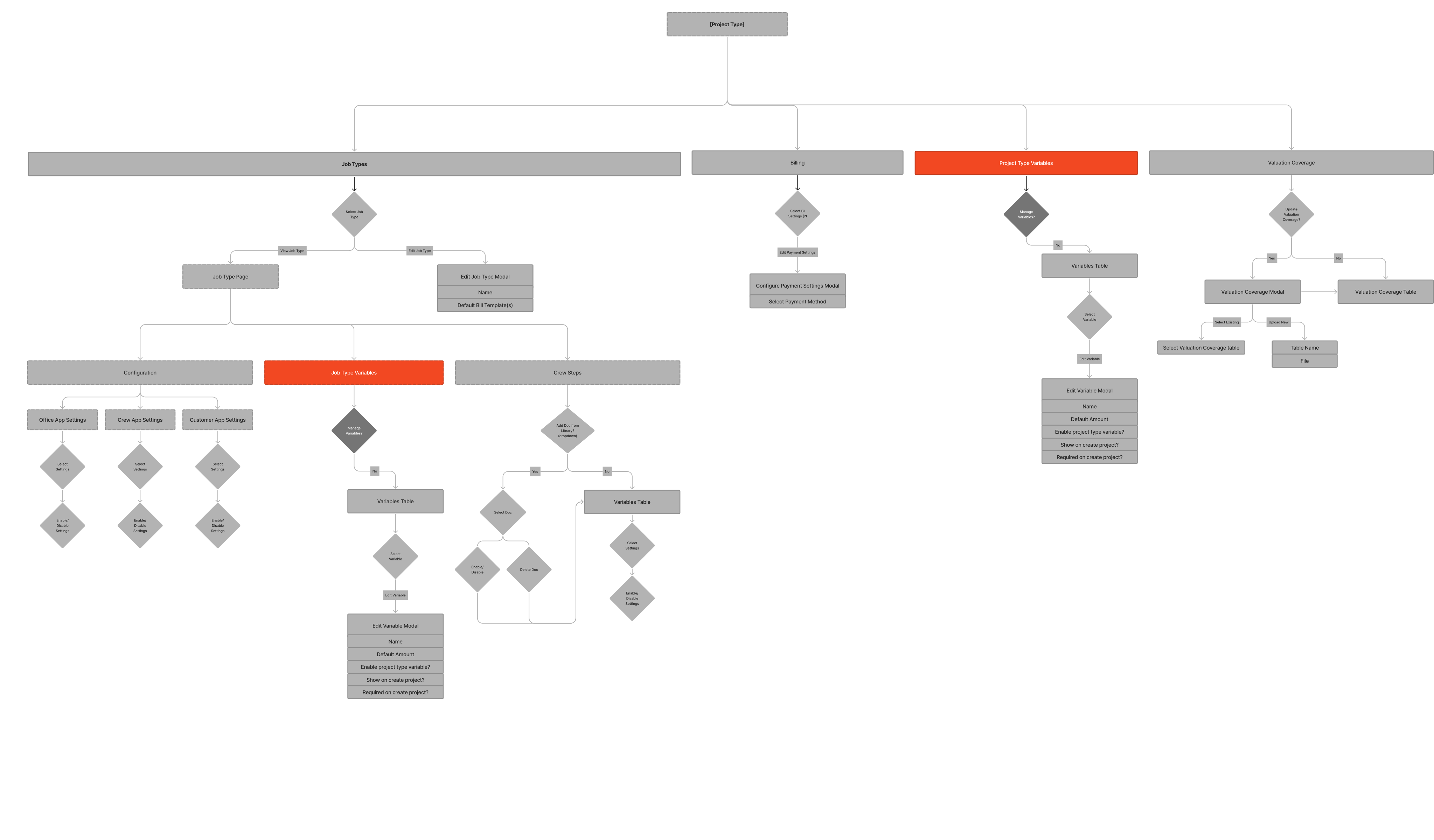
It became clear that two closely related categories (project variables and job variables) were very far in the sitemap, which created room for confusion and difficulty navigating the billing system.
Main takeaways going into design
- Variables live in multiple different layers of the product, making it difficult for the users to find these sections and tie things together conceptually
- Variables settings page should help organize how the modal page is designed
- There is a disconnect with billing values and the actual final bill due to the complex workflows
Exploration (3/6)
After gathering what we learned in the research phase, it is time to focus our attention on understanding what we have, what we need, and where we want to be. It is important to be thorough in the exploration phase and not jump to any conclusions.
Existing Design System & UX Patterns
.png)
Common Patterns
- Settings pages strongly incorporates tables
- Heavy use of tabs within pages for subcategorization
- Excessive inputs on modals
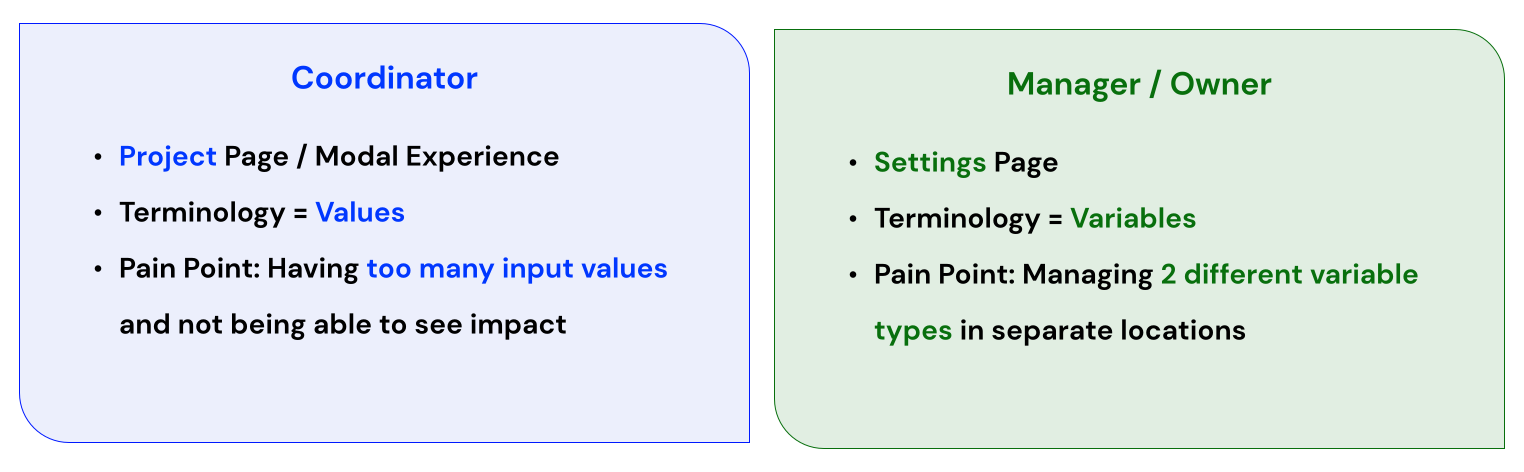
What makes the whole experience confusing?
- The workflow to reach the billing page is already dense, so by the time users reach this page they are feeling overwhelmed.
- 2 different user types that utilize this workflow
- Same functions but different terminology used between 2 different user types
Design Goal
Create a variables editor page where the information from different setting types can be consolidated and organized in an intuitive manner and that will be reflected on the billings value modal.
Ideation (4/6)
Once we had our goal in mind, we had to consider what approaches we can take to achieve a better design experience. Design solutions for both the settings and project view were simultaneously formulated to ensure we keep the two areas cohesive and users can associate the concepts holistically.
Variables Editor (Settings View)
Goal: Seamlessly integrate the two different variable types (project and job)
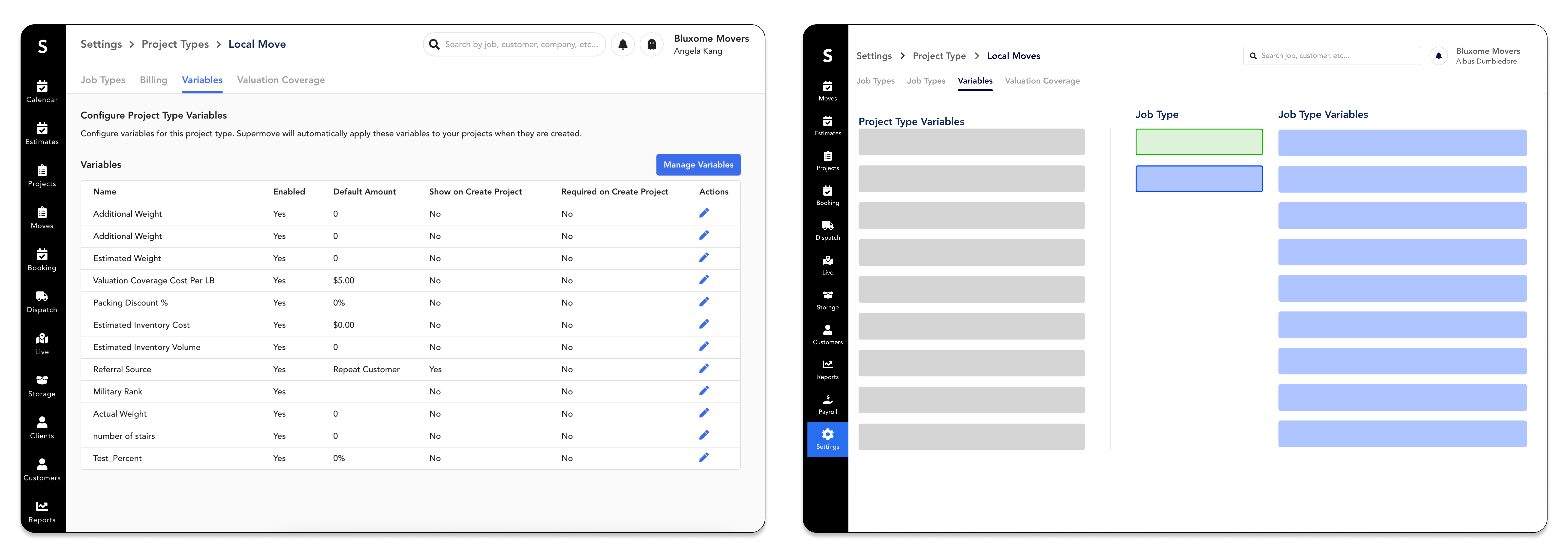
Other Designs Considered:
- All variables in a tabular design: There’s an excessive use of tabs across the product and has not been proven to be the ideal experience with users.
- List view with collapsible sections: Does not scale well for enterprise customers who have a large number of variable types
Billing Values Modal (Project View)
Goal: Reduce the visible inputs displayed to the user and create a preview function
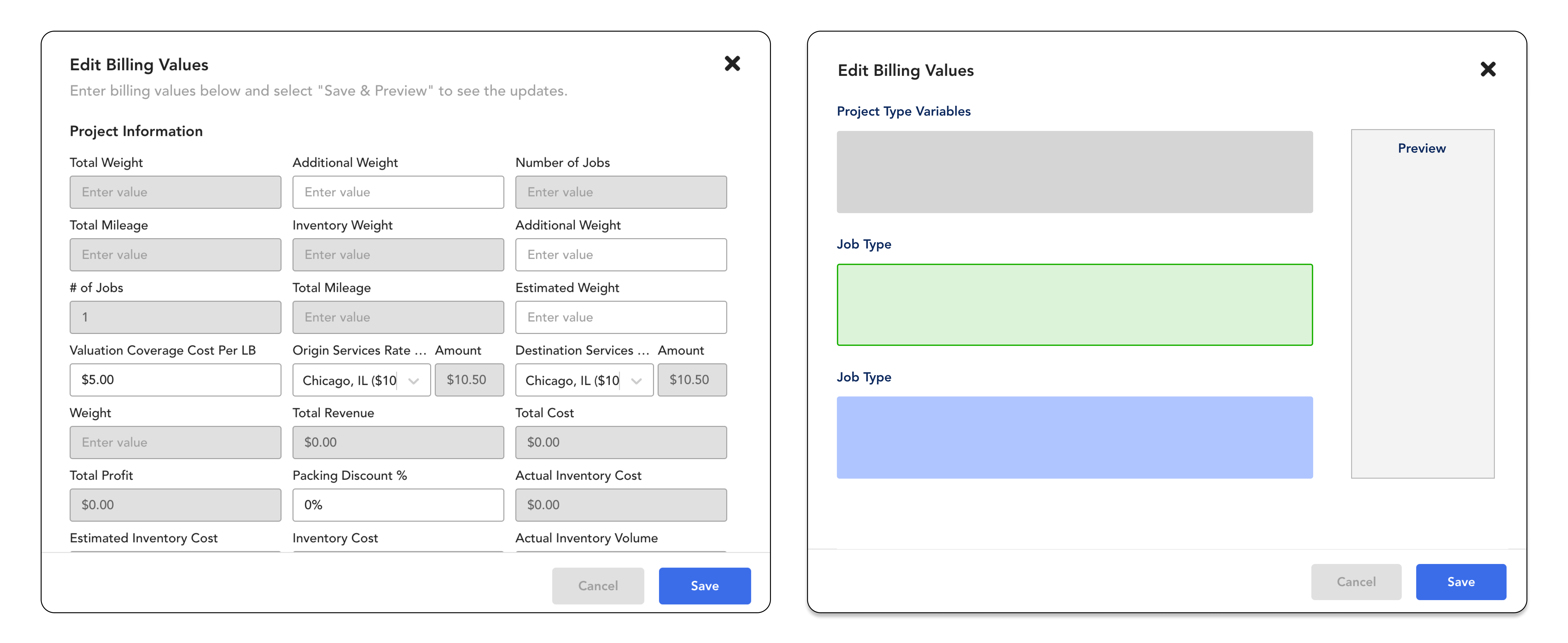
Other Designs Considered:
- Isolate the variables modal from a “Preview Mode” page: would require users to click out of the modal and does not feel like the two are connected
- Combine variables and preview into the billing page: this would be a large redesign and we did not have enough resources to validate this direction (scope creep)
Editing Bills (Project View)
Goal: Create a simple experience for users to easily navigate through the billing area
.png)
Why this direction was not pursued:
- Not enough resources to validate this direction and account for edge cases
- Customer calls revealed how complex the billing process is as a whole
- Need a separate in-depth of review of how to revamp the billing experience
Designs & Prototypes (5/6)
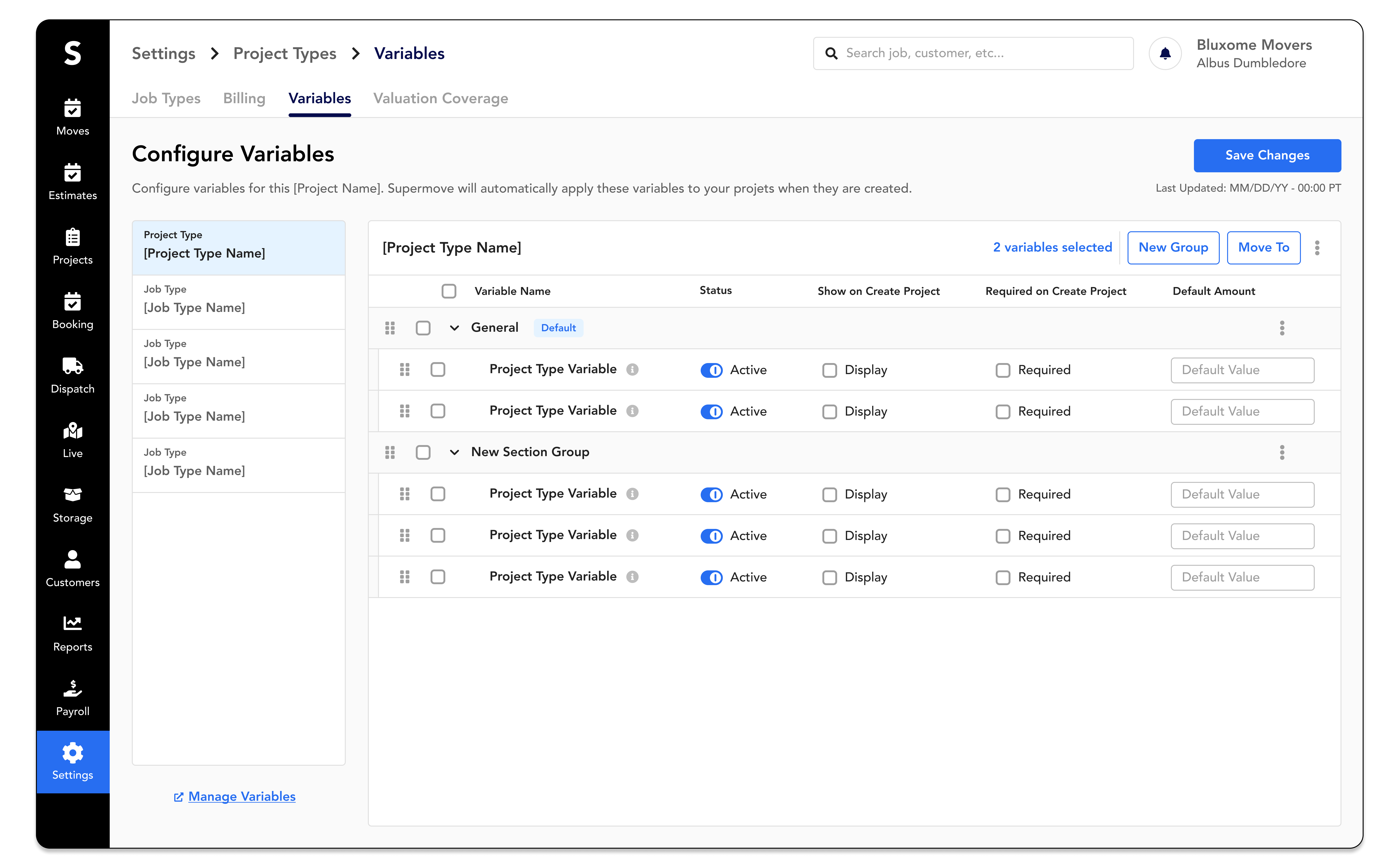
After additional customer demo calls and cross-functional team reviews, the final designs were formed. The project initiative was split into two smaller projects:
Validate (6/6)
After completing our final iterations, our focus was to test and validate the design solutions and functional UI elements. Validating the billings value modal was prioritized over the settings configuration page because it is more often utilized without clients.
Testing Plan
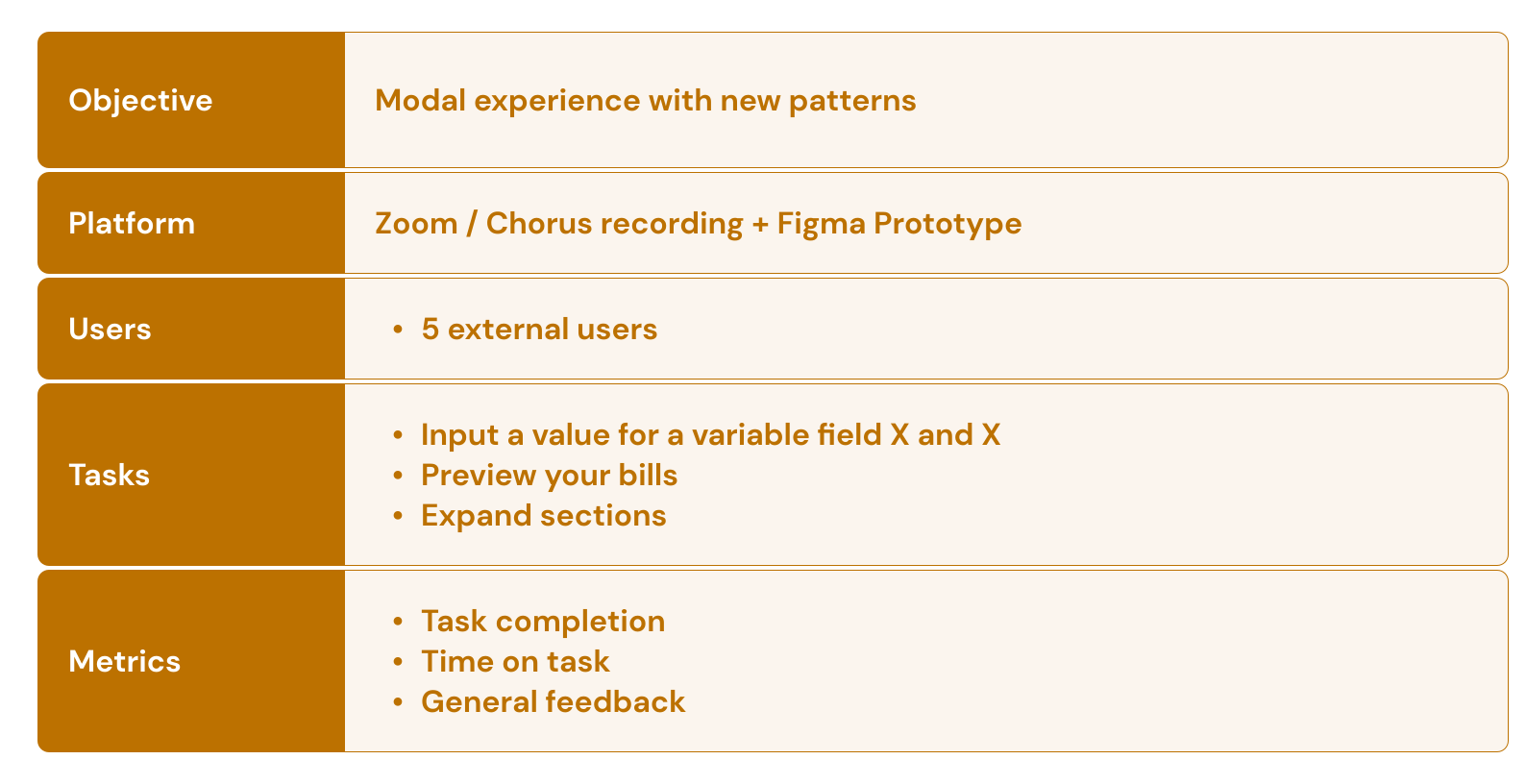
Findings:
- 100% of users preferred the new experience
- Unexpectedly, users had varied preferences of how the default state should look
- Since there were fewer input value boxes, the page was more intuitive and easier to understand
- Users did not find the expand sections icon intuitive from first glance but understood its use after clicking it
"The new experience was a lot more straight-forward and I can navigate much easier." (External User)
Reflections
This project was a huge stepping stone for the company to begin simplifying their billing experience for all their various user types. Like all projects, these accomplishments were a team effort and required everyone's input.
Key Highlights
- First large UX billing initiative for the company
- Current users and internal teams had minimal to no negative feedback
- Supermove's first initiative using a complete end-to-end UX process
Challenges
- Aggressive timelines and limited resources
- Understanding the complex product architecture
- Personal ramp up and onboarding period during the project
How could I have improved?
- Keeping the big picture in mind, to prevent going too in-depth into unnecessary areas
- More time spent on understanding how the various users utilize the software
- Additional research on how enterprise companies structure their billing processes
I'm thankful for:
- The trust from my teammates and leadership to take ownership of this initiative
- Opportunity to demonstrate the benefits and value of the UX process
- The real life impact that goes directly to our users by our team efforts


