
One-time passcodes
I designed Duo's migration from legacy HOTP to phishing-resistant TOTP passcodes — navigating a team without a PM for the first half, and shipping a feature now used by ~16,000 customers averaging 43,000 authentications a day.
Overview
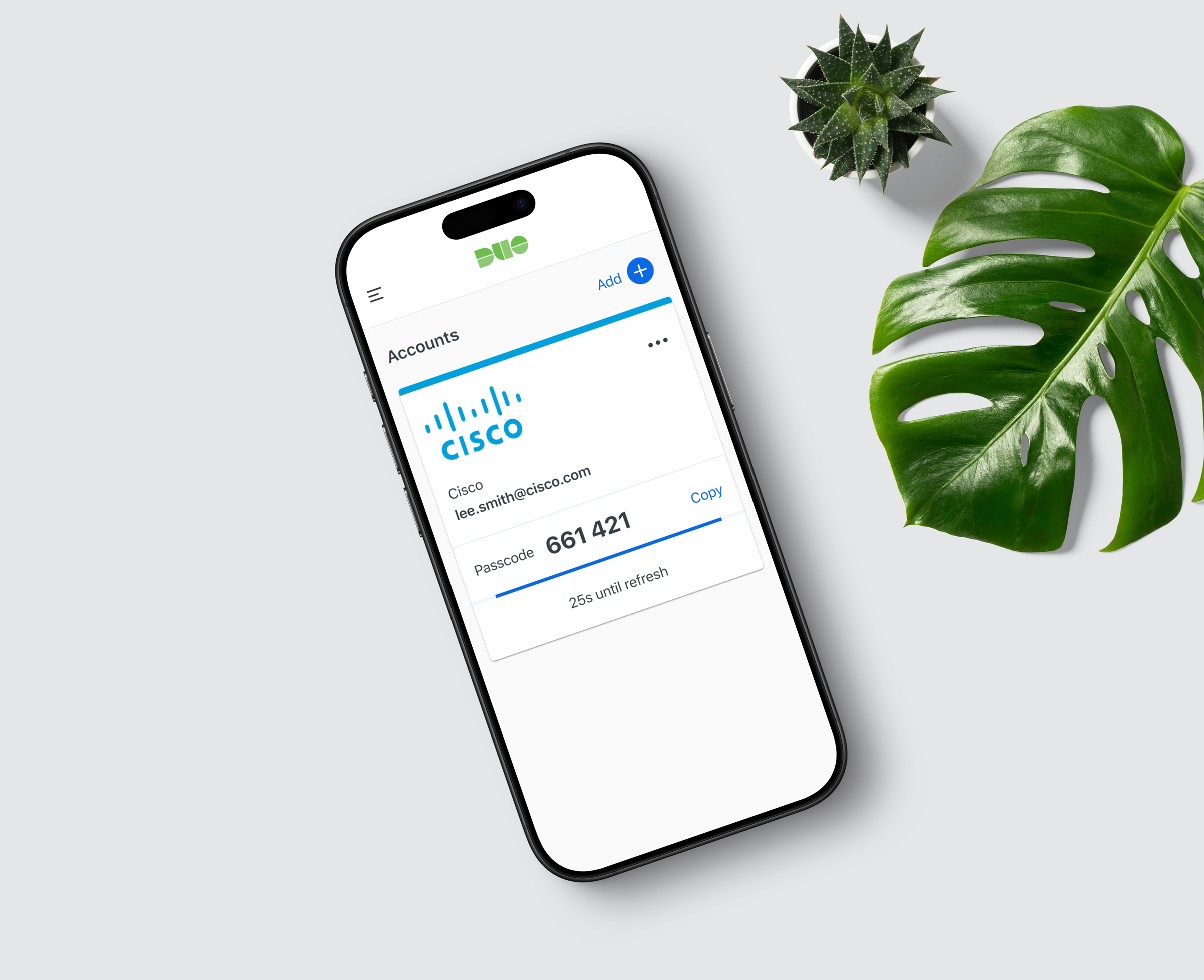
Duo Mobile provides several authentication options to prove it's really you when you log in. Passcodes are among these methods and continue to be widely used across thousands of organizations.
Problem:
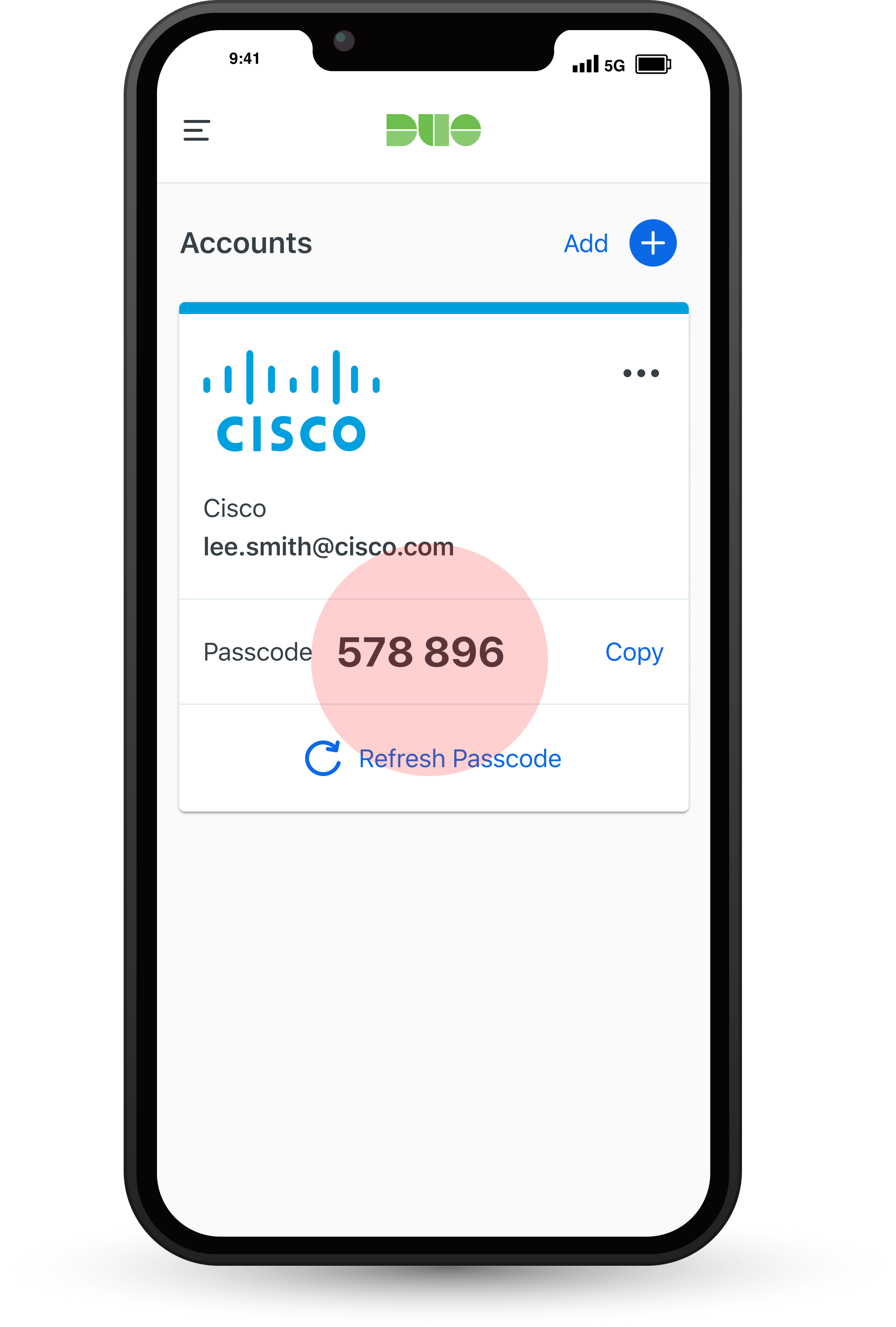
Duo defaults to using HOTP (HMAC-based One-Time Password) codes for passcode authentication. These codes are vulnerable to phishing because they remain valid until the user enters them.
- Customers find passcodes essential for reasons such as travel, backup when push notifications aren't available, and for situations without internet access. They appreciate the flexibility passcodes provide, even though they are aware of the risk of phishing.
.png)
Solution:
Switch Duo's default from HOTP to TOTP (Time-based One-Time Password) and move existing customers to TOTP.
- TOTP generates a unique password using the current time, which changes every 30 seconds. This makes it secure because the password expires quickly and can't be reused.
Key Project Results:
- This feature has completed the product cycle and accessible to the public as of May 16th, 2024.
- ~16,000 customers (Jan 2025)
- Averaging 43,000 TOTP authentications per day
- Prevented potential churn of a large organization (multi million dollar contract)
Project Challenges:
- The project began without a product manager in place for the first half.
- Collaboration between product, design, and engineering teams was not yet established.
- The internal design teams were without an official design process.
- I had recently joined the team and was still in the process of onboarding
Understand
We start by piecing together the internal processes, user personas, and the product layout. This initial phase involves understanding both user and project needs to set a solid foundation for the design process.
Product Release Phases:
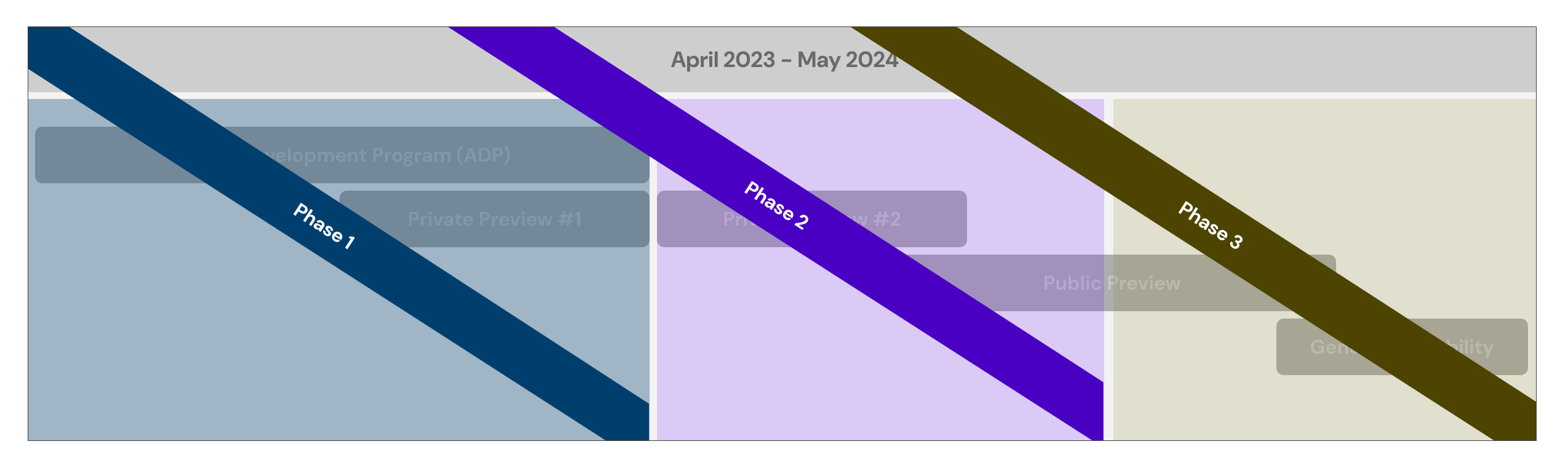
Duo Security follows a clear step-by-step plan when introducing a new product or making changes to an existing one. This process involves multiple teams across the organization—product management, engineering, design, documentation, and marketing—working collaboratively through each phase to ensure everything is ready and functions smoothly before reaching customers.
.svg)
User Personas & Product Usage
Out of 29 different personas, we focus on 3 key personas for this project and analyze which parts of the product each one uses.
.png)
User Flows
We focus on the primary personas of "IT Administrator" and "User/Employee" to create a user flow map that outlines how each persona interacts with the product at a high level.
IT Administrator -
- Navigating from the main dashboard to the admin panel, selecting "Settings" to view and configure system options and user permissions.
- IT administrators must navigate through 12 sub-sections to reach the Duo Mobile app settings, which include additional configuration options within that section.
.png)
User / Employee -
- A general user or employee begins on the website they are trying to log into and encounters the Duo Universal Prompt, which guides them through a series of steps to authenticate using various methods.
- Unlike other products where users remain on a single device, this process requires users to switch to a different device mid-flow to complete the experience.
.png)
Designing in Phases
This project was divided into three main phases to align with Duo’s product release process. In Phase 1, we concentrated on a small-scale solution to test the TOTP functionality; Phase 2 covered the main design and development work, and Phase 3 involved refining the product.
- Phase 1 -
The initial phase focused on a small-scale test of the backend TOTP functionality to identify any major issues before moving on to the larger development phase. This is also the first time creating passcode settings, as it was previously defaulted to HOTP, and now we need to add the capability for passcode configuration.
Goals
- Validate the backend TOTP functionality to identify and address any major issues early on
- Implement a minimal design change to enable or disable the TOTP feature, ensuring basic usability
- Create a temporary solution that allows time to properly scope and plan the next iteration
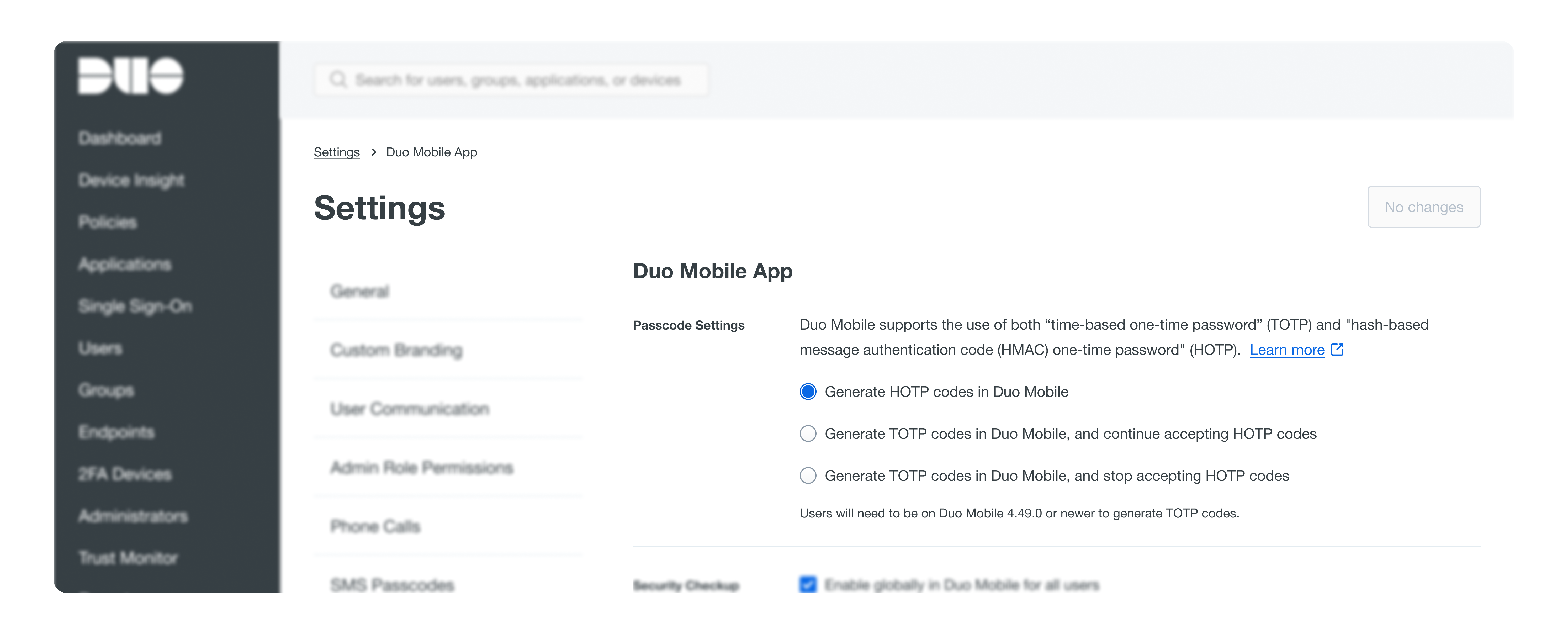
Passcode Settings
- Positioned in general settings rather than policy rules because Duo Mobile lacks network access to identify the application during OTP authentication.
- IT administrators should be able to enable TOTP organization-wide, disable HOTP, and manage user access without blocking those who don't yet meet the TOTP requirements.
- Users need a specific version of the Duo Mobile app to generate TOTP codes; otherwise, they will continue using HOTP codes.
.png)
What didn't work
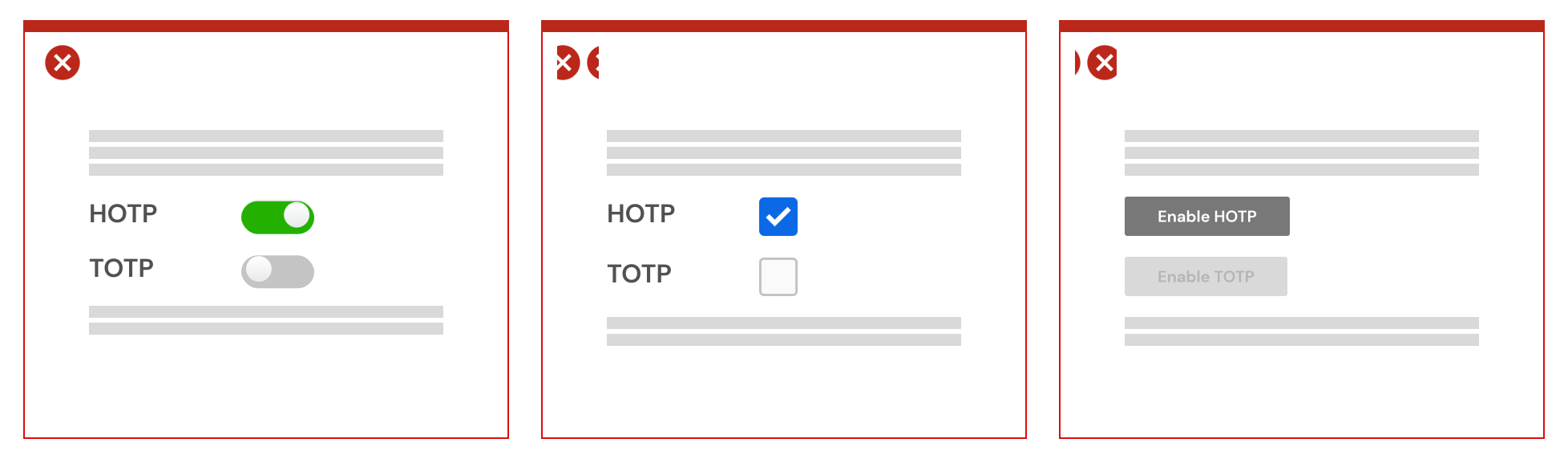
- Toggles could be confusing because one setting must always be on, even though both settings can be toggled to "on" simultaneously.
- Checkboxes styling doesn’t work well for settings with distinct on and off states that need clearer control options
- Using buttons would add unnecessary clicks for a modal experience that is too complex for this initial design phase
Where we "landed" (temporarily)
- Provide detailed descriptions for settings to clarify the two different types, avoiding confusion from similar abbreviations
- Follow common design patterns used across settings for a cohesive user experience
- Use radio button label text to clearly describe the actions or options available
Results / Validation
- Successfully tested with 50 customers, ensuring reliable performance
- No instances of blocked authentication or errors were detected
- Confirmed the need to introduce more customizability options
- Phase 2 -
In the second phase, we expand the scope by incorporating additional requirements and collecting early feedback to refine the design, guiding us toward a near-final state.
Goals
- Add inclusion and exclusion group controls to enable organizations to customize their user base with different passcode types
- Provide the option to permanently disable or sunset HOTP
- Ensure that administrators understand TOTP requirements to prevent potential authentication issues for users due to setting changes.
- Define how new customers defaulted to TOTP will be displayed on their settings page
Design Challenges
- Create a settings design that is functional and serves as a transition plan to sunset HOTP.
- Provide IT administrators with the necessary customization options to facilitate their organization's transition
- Communicate the impact of setting changes clearly without overwhelming the design with excessive text
What didn't work
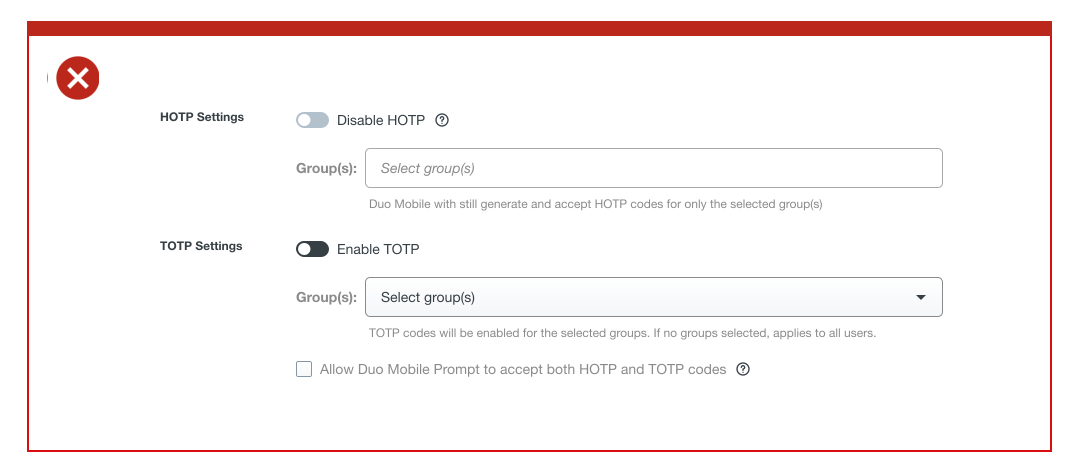
(1) Separating HOTP and TOTP configuration
HOTP will be the default, with TOTP initially disabled. Using toggles with opposite actions can be confusing, and having two separate sections might incorrectly suggest that these are independent features, even though both are types of passcodes.
(2) Keeping HOTP fixed while adjusting TOTP settings
Following existing patterns, we centralized major configurations within TOTP. However, exclusion groups for HOTP are only accessible if the organization switches the default to TOTP. This approach might obscure functionality and potentially confuse IT administrators about what's happening with their users.
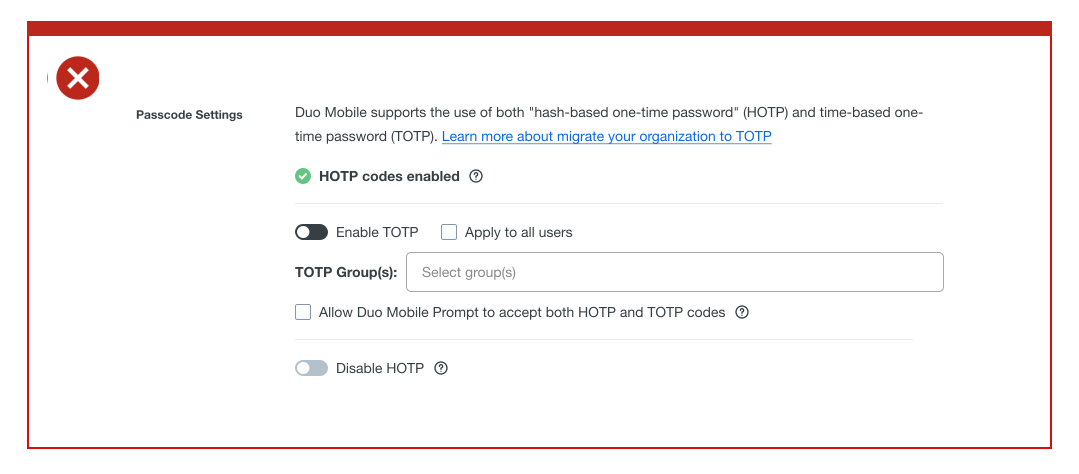
After several design iterations, we found that simplifying the experience requires limiting customizability for IT administrators. As we aim to phase out HOTP, seek customer feedback to assess if exclusion groups are absolutely necessary.
Customer Calls
We spoke with 4 customers, mainly universities with IT leads or consultants, to understand how they roll out TOTP to their users. Our goal was to assess if our design solution is flexible enough for their needs and to identify any crucial product requirements we might be missing.
Our Design Direction
- Provide brief descriptions of the different passcode acronyms.
- Clearly indicate the current setting state, which updates when settings change.
- Limit configuration to TOTP and groups, with helper text explaining that applying TOTP to all does not block users if TOTP fails.
- Make discontinuing HOTP the final step to prevent accidental actions that could block users from authenticating successfully
- Used tooltips to minimize text needed for explaining each setting and its implications.
.png)
What we learned from our users:
- Organizations recognize HOTP as unreliable and phishable, making TOTP a high priority for rollout.
- Organizations see no clear reason to keep users on HOTP but prefer having the option for peace of mind.
- Each organization will have a unique approach to rolling out TOTP, and their plans may differ from actual implementation.
- Organizations are willing to test TOTP with their users if it doesn’t lead to a surge in helpdesk tickets.
- While the design’s simplicity is preferred, users still have questions about scenarios where TOTP may not work.
.png)
Applying our learnings
- Clearly outline TOTP requirements and the consequences of not meeting them.
- Use radio button styling for each setting to guide the HOTP sunsetting process from top to bottom.
- Update option labels to better convey their actions.
- Emphasize the final step of "discontinuing HOTP" to encourage users to complete this change.
.png)
Results / Validation
- Successfully tested with 323 customers, achieving 500K TOTP authentications over a 28-day period.
- No changes to UI design were necessary during the testing phase.
- Customers are proactively contacting Cisco CSM to join the public preview release.
- Phase 3 -
In this final phase, we focus on refining the design and preparing for the official general availability release, working closely with our cross-functional partners.
Goals
- Revisit the project backlog to ensure all outstanding tasks and feedback are addressed
- Refine the designs thoroughly to ensure they meet the established release protocol standards
- Work closely with the documentation team to prepare comprehensive public-facing materials
Revisiting Backlog:
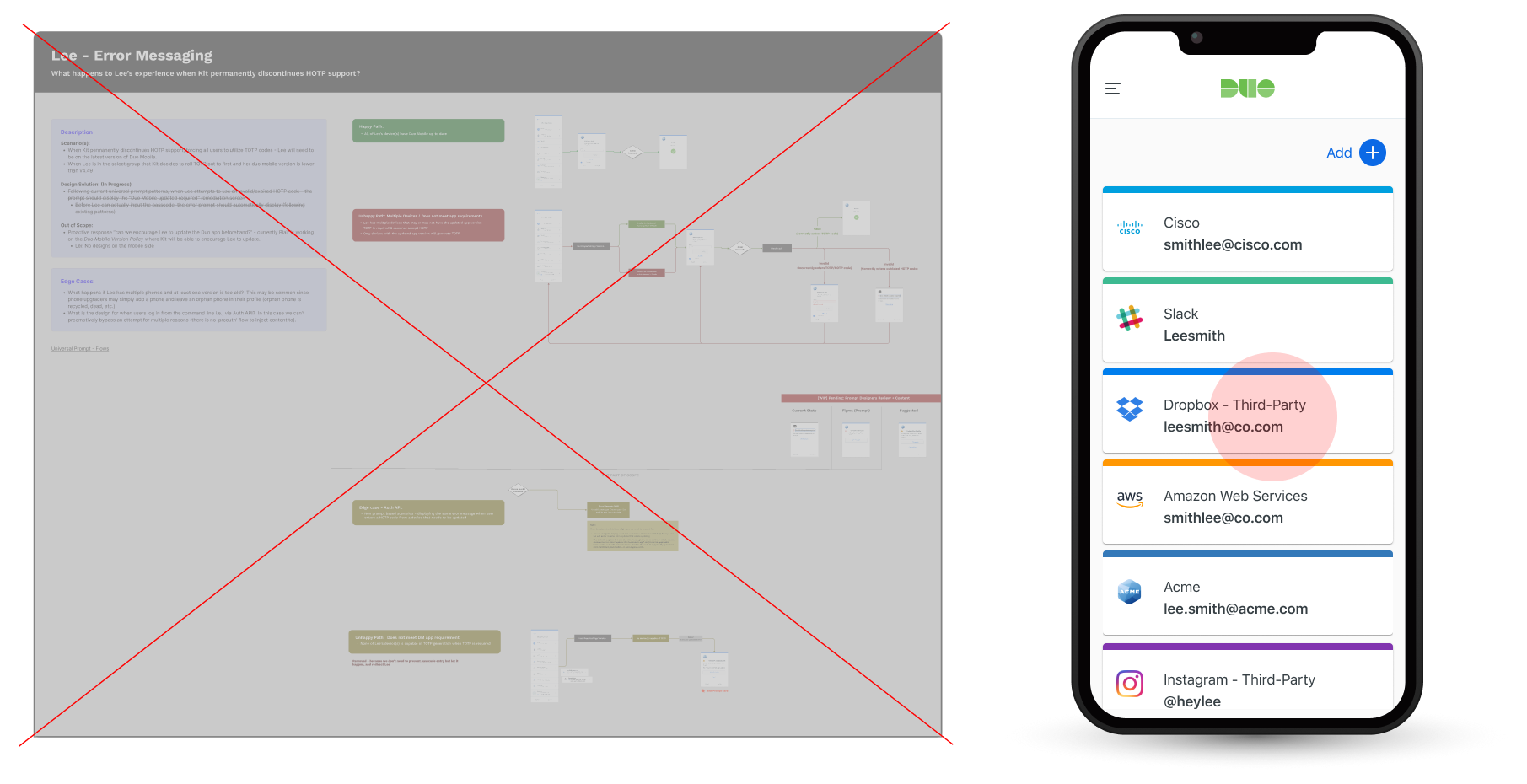
- Removed: Designs related to how we communicate error messages to users when TOTP fails.
- Added: Label to how users differentiate account types based on the presence of a timer (TOTP) versus its absence (HOTP).
Adding Final Design Details:
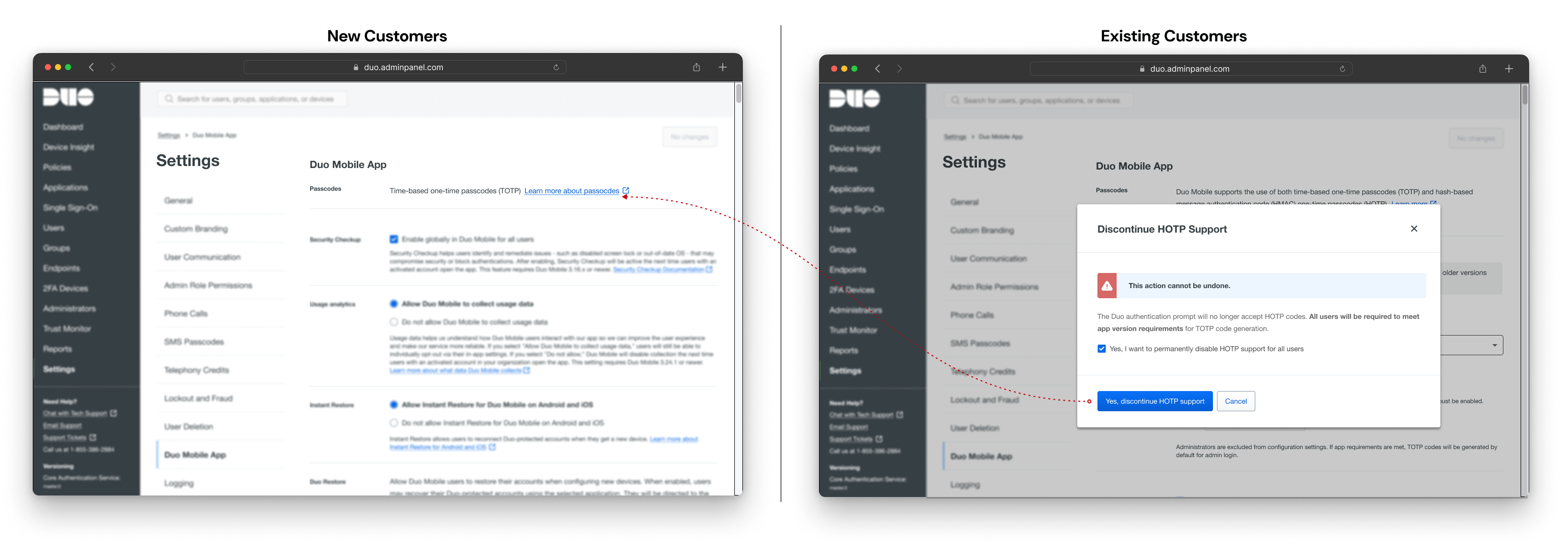
New customers will now default to TOTP-only settings. Although they can't configure HOTP, TOTP will be displayed as their passcode setting, which aligns with the final state when existing users permanently discontinue HOTP.
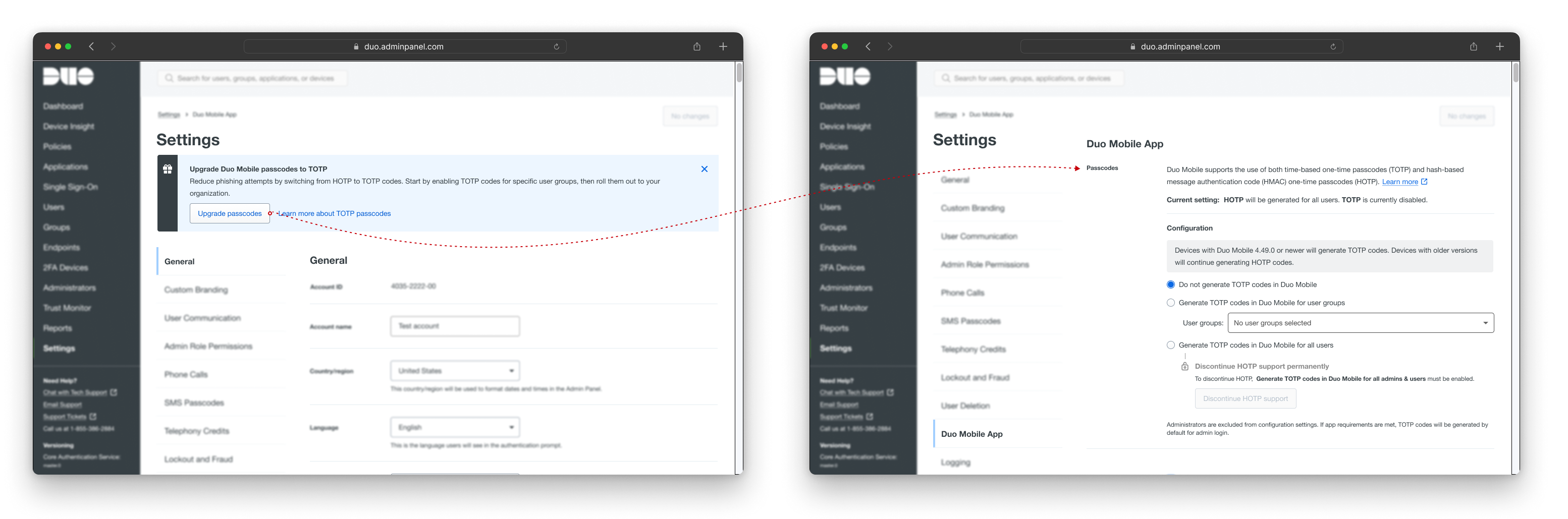
To enhance feature discoverability, we display a banner when the user first enters the settings. This banner includes a CTA that takes them directly to the passcode configuration, saving them from having to scroll to the bottom of the section.
Continuous improvements
We launched passcode settings configuration on X for our existing customers, marking the day our product no longer offers HOTP as an option for new customers. While the product release is complete, we believe there will always be opportunities for improvement as more users adopt this feature.
Following our official launch, we received UI feedback through our community page noting that it was unclear whether the "discontinue HOTP" option also applied to hard tokens.
.png)
Solution:
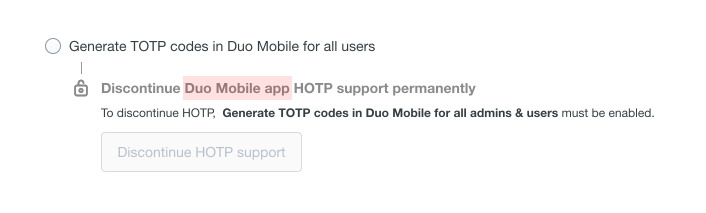
To avoid adding more text to an already text-heavy setting, our documentation team suggested that simply adding "Duo Mobile app" to the label option would be sufficient, along with providing clear public-facing documentation.
Reflections:
No project is ever perfect or completely smooth, regardless of the processes in place. Throughout this project, we faced new team members, constant changes, and unforeseen challenges. At each phase, our team took time to reflect on our successes and learn from our mistakes.

What worked well:
- As the designer, I joined product and customer calls to hear directly from users and ask design-related questions.
- Slack recaps of every team meeting and decision were crucial due to our remote work setup.
- Sharing designs with customers early in the process and using their feedback to engage the team and secure buy-in.
- Reaching out to other design teams for their expertise and feedback.
Opportunities for Improvement
- Practice designing with the user's end goal in mind, avoiding getting lost in details without refocusing on the primary objective.
- Consider all user personas and their experience with the feature, even if no immediate design work is needed for each persona type.
- Share your learnings with the team frequently, whether they are small or big, as everyone benefits from learning together.
I'm thankful for:
- The talented cross-functional partners who contributed to the project's success.
- An environment where everyone is eager to support one another.
- A project that demonstrated the value of involving design early in the process.


